Posts

How to Enable God mode in Windows PC

Image
How to Enable God mode in Windows PC To Create God mode in you PC you need to login to you Windows Machine with Administrative  privilege    Then Right Click on the desktop and create new folder in there Then Rename it with following name God Mode .{ED7BA470-8E54-465E-825C-99712043E01C} . Double clicking this icon will give you access to many features like you see in this pic 

How to uninstall NetBeans IDE from Linux

Image
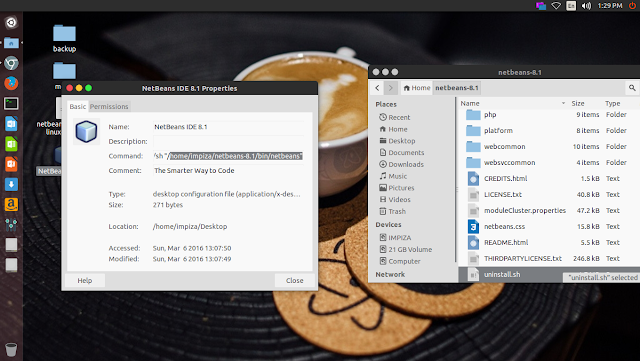
How to uninstall NetBeans IDE from Linux in older version NetBeans default uninstall location was /usr/local/netbeansxxxx  but in new versions they have changed installation locations , actually you can decide to which location to install  in new versions you can easily find the installed location just right click and checking properties of NetBeans Desktop icon   in my case i have installed it in my Home folder  i opened terminal  moved to installation location using cd /installation path *change installation path to yours  in your terminal it will looks like this  type   ./uninstall.sh     press enter  uninstall  :)

How to install NetBeans IDE in Linux

Image
How to install Netbeans IDE in Linux first go to netbean download page  https://netbeans.org/downloads/ download the netbeans installer .sh file  open terminal go to download location  make file executable by using following commands in terminal  chmod +x netbeans-8.1-php-linux-x64.sh   in your case netbeans file name may very  once you make file executable type following commands in terminal  ./filename.sh   in your case change filename.sh to your file name  it will pop up a installation wizard like this just follow the instruction to install  after installation you can find NetBeans IDE icon on your desktop double click it to open the application How to Uninstall NetBeans IDE From Linux Click This Link

How to fix NTFS partition is in an unsafe state error in linux ?

Image
How to fix NTFS partition is in an unsafe state ? This usually happen with recently upgraded dual bootable windows linux pc , if you upgraded to windows 8 or later you will get this error in linux Solution open your terninal type sudo ntfsfix /dev/ sda3 in here /sda3 is my hdd id check error in your pc for your hdd id

HP Smart Array P212,P410,P411,P711m,P818 Controllers Not Showing Full size 3TB or above HDD

Image
When i was trying to add new 3TB hdd to HP DL 180 G6 Server which has a HP Smart Array P410 Controller in it ,  the HDD is only detecting as 800 GB HDD Check the error below After getting this error i have noticed and read instructions which came with HDD , in that instructions it clearly Saying that if we need to add HDD Which has a Capacity of 2.2 TB or above we need to upgrade the Current Firmware to 5.0 or later and supported controllers as follows HP Smart Array P212 Controller HP Smart Array P410 Controller  HP Smart Array P410i Controller HP Smart Array P411 Controller  HP Smart Array P711m Controller HP Smart Array P712m Contorller HP Smart Array P812 Controller Then i go to this Url to Download Latest Firmware for HP Smart Array P410 (also support for P212,P410i,P411,P711m,P712m,P812)   HP Smart Array P212, P410, P410i, P411, P711m, P712m, and P812 Controller Firmware Versions ! From this url you can download latest or older...

How to access your Linux Desktop using android app

Image
How to access your Linux Desktop using android app  To using this you need to be in same network There are two apps available in playstore free and pay  for this tutorial i have used free one install this app and open it in your android device then configured it with ip , username and password of your linux machine Click connect to establish connection between your linux machine and Android device  enjoy :)

How to Remote Desktop (rdp) to Windows using Linux

Image
i am using Linux Mint as client machine for Ubuntu / Mint open terminal use this command line to install rdesktop sudo apt-get install rdesktop hit enter then type your password in hidden field type y and hit enter after installing rdesktop you have to type this command in terminal window rdesktop 192.168.1.51 in this case my server ip is 192.168.1.51 a windows login window will pop up use your login account and password to login enjoy

How to find best mobile or wifi hotspot coverage using your Android Device

Image
Using this free app you can find coverage in your place for all kind of network 2g , 3g , 4g it support all kind of providers , which give access to users to locate best coverage nearby , app also provide a list and colored real time map  OpenSignal also helps to locate nearby hostspots it also can measure signal strength, This is some thing really cool feature i have found on play store , this is a must have app in your android device                                                                                              

How to upgrade your old Airtel sim to 4G

Image
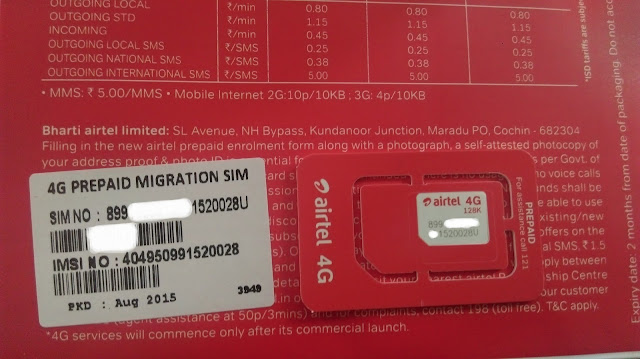
Go to  http://www.airtel.in/4g/sim-swap Request for your Free 4G SIM after you receive the sim you can find 20 digit sim no on the back side of sim packet or sim itself  send sms to 121 message as followed SMS YOUR20DIGITUNIQUESIMNUMBER you will get a message press 1 send to confirm  you will get a confirm message ,Now you have to wait until your network goes down  ,after network goes down you can swap with your NEW 4G SIM  go to settings and change your network to 4g  Enjoy 4G :) 

Choosing a JavaScript Framework, the only way ?

Image
Choosing a JavaScript Framework .  Which JavaScript Framework will be best for you? Let us try to answer what you actually need. Because, in the end, it's not only about JavaScript Frameworks. It becomes very difficult for so many people when they try to choose a JavaScript Framework. But I think it's more about framework vs. libraries. Using a framework may lead to a lock-in where as a library based approach yields more flexibility. Don't get me wrong. Frameworks are great in that they solve a lot of common concerns. This is just great for prototyping and development up to a point.       Frameworks Come with Boundaries     The problems begin as you start hitting the boundaries and go beyond what the framework was meant for. As the framework you are using gains new features you'll likely want to keep your application up to date. This incurs some cost and may lead to bigger refactoring at worst. Libraries Are More Flexible   In ...

How to rdp into your linux server

Image
Remote Desktop Protocol (RDP) is a proprietary protocol developed by Microsoft , which provides a user with a graphical interface to connect to another computer over a network connection. The client PC uses RDP client software (often mstsc.exe) for this purpose, while the other computer must run RDP server software. This tutorial will teach you how to RDP to Linux machines. Open your terminal in Linux machine then type the following command line in it (Ubuntu-based machines!) sudo apt-get install xrdp In fedora-based machines you can use yum install xrdp It will will ask permission to install the package , so just type your admin password and hit enter, and then type " y " to continue This will install the xrdp package and start the RDP service in your Linux machine. Now you will need to determine the IP of the Linux machine. For that, type following command line in terminal: ifconfig In this case my Linux machine`s IP is 192.168.1.110...

How to remove older Android Devices from Google Play

Image
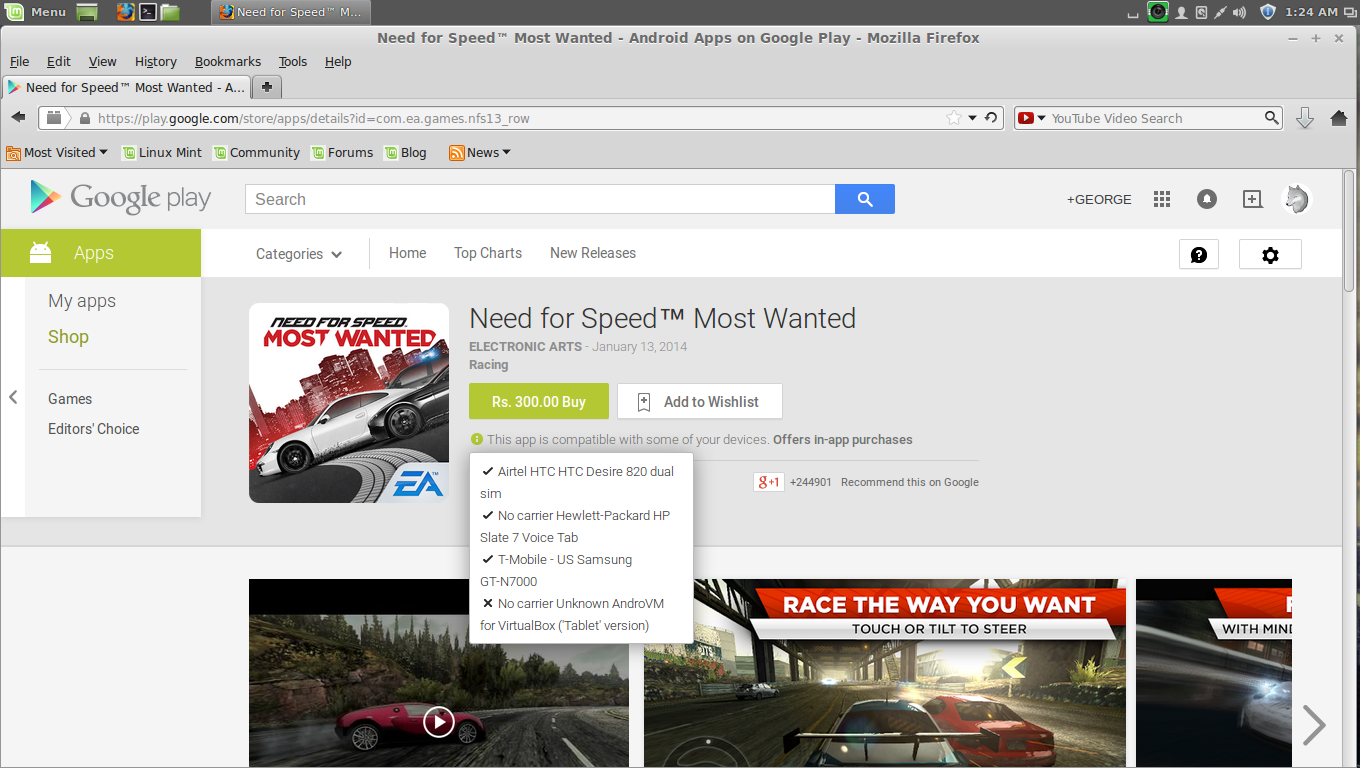
Remove older Android Devices from Google Play As you can see above you can find a list of older devices i have used in the past  its very easy to remove those devices from the list  all you need to do is click on the settings icon on the right corner of the google play page  then select > Settings This will redirect to setting page there you can find your list of older devices  Now you can see your devices  simply uncheck old devices and also update your New Device Nickname and click update , then reload the page and see its changes ! go to your play store page to confirm ! Ta da , you can see now only new device is showing , also updated device Nickname

Failed to open a session for the virtual machine error on VirtualBox ! Fix

Image
Failed to open a session for the virtual machine error on VirtualBox  How to fix this in linux  this happens when you start your virtual machine first this error message will display followed by second one  to fix this you need to open terminal then type  sudo apt-get install virtualbox-dkms     this will fix the error