Posts

How to upgrade your old Airtel sim to 4G
Image
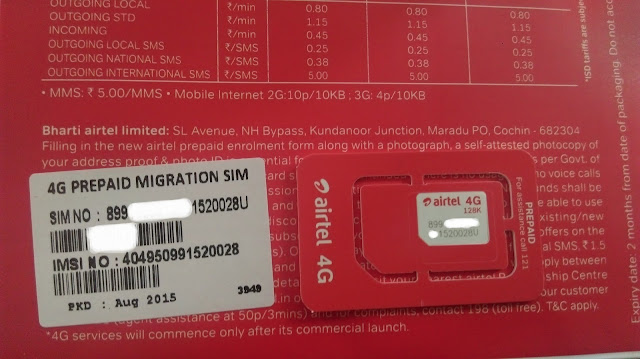
Go to  http://www.airtel.in/4g/sim-swap Request for your Free 4G SIM after you receive the sim you can find 20 digit sim no on the back side of sim packet or sim itself  send sms to 121 message as followed SMS YOUR20DIGITUNIQUESIMNUMBER you will get a message press 1 send to confirm  you will get a confirm message ,Now you have to wait until your network goes down  ,after network goes down you can swap with your NEW 4G SIM  go to settings and change your network to 4g  Enjoy 4G :) 
Choosing a JavaScript Framework, the only way ?

Image
Choosing a JavaScript Framework .  Which JavaScript Framework will be best for you? Let us try to answer what you actually need. Because, in the end, it's not only about JavaScript Frameworks. It becomes very difficult for so many people when they try to choose a JavaScript Framework. But I think it's more about framework vs. libraries. Using a framework may lead to a lock-in where as a library based approach yields more flexibility. Don't get me wrong. Frameworks are great in that they solve a lot of common concerns. This is just great for prototyping and development up to a point.       Frameworks Come with Boundaries     The problems begin as you start hitting the boundaries and go beyond what the framework was meant for. As the framework you are using gains new features you'll likely want to keep your application up to date. This incurs some cost and may lead to bigger refactoring at worst. Libraries Are More Flexible   In ...

How to rdp into your linux server

Image
Remote Desktop Protocol (RDP) is a proprietary protocol developed by Microsoft , which provides a user with a graphical interface to connect to another computer over a network connection. The client PC uses RDP client software (often mstsc.exe) for this purpose, while the other computer must run RDP server software. This tutorial will teach you how to RDP to Linux machines. Open your terminal in Linux machine then type the following command line in it (Ubuntu-based machines!) sudo apt-get install xrdp In fedora-based machines you can use yum install xrdp It will will ask permission to install the package , so just type your admin password and hit enter, and then type " y " to continue This will install the xrdp package and start the RDP service in your Linux machine. Now you will need to determine the IP of the Linux machine. For that, type following command line in terminal: ifconfig In this case my Linux machine`s IP is 192.168.1.110...

How to remove older Android Devices from Google Play

Image
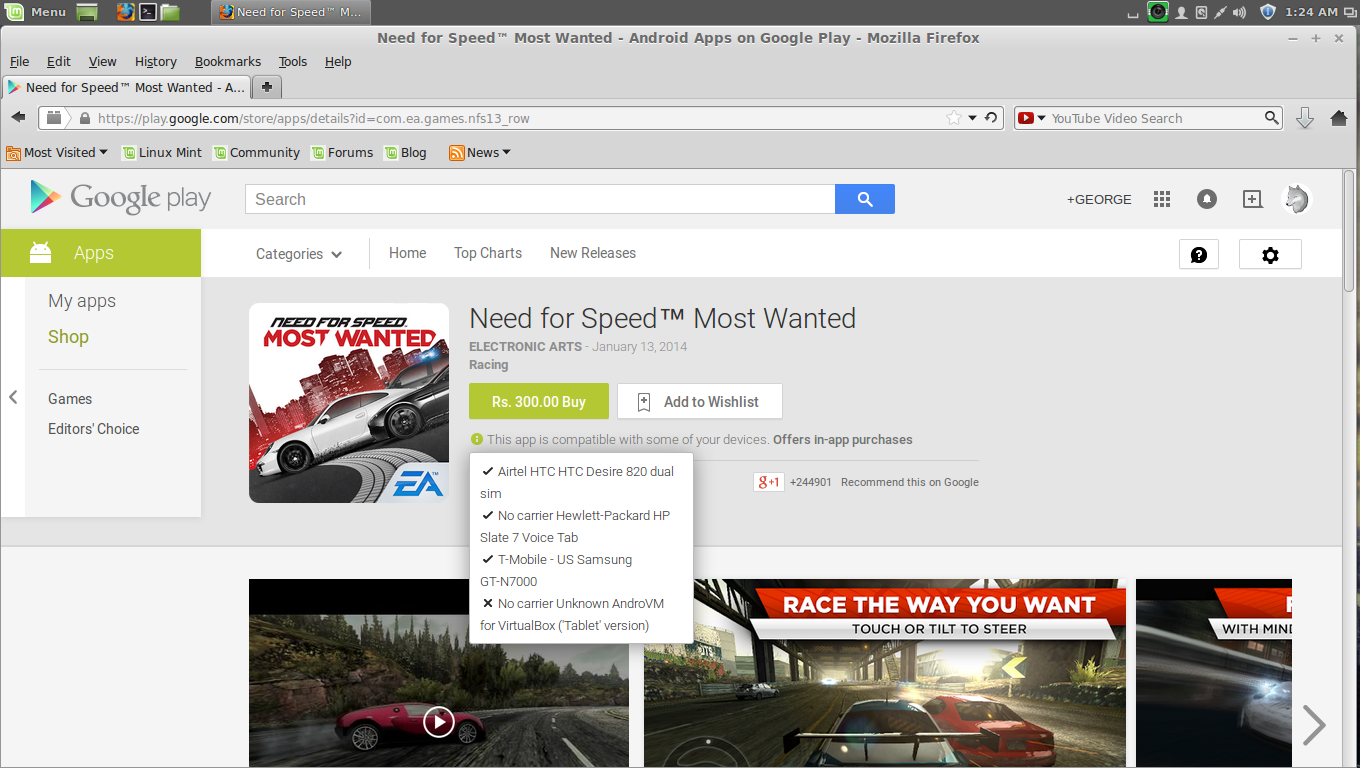
Remove older Android Devices from Google Play As you can see above you can find a list of older devices i have used in the past  its very easy to remove those devices from the list  all you need to do is click on the settings icon on the right corner of the google play page  then select > Settings This will redirect to setting page there you can find your list of older devices  Now you can see your devices  simply uncheck old devices and also update your New Device Nickname and click update , then reload the page and see its changes ! go to your play store page to confirm ! Ta da , you can see now only new device is showing , also updated device Nickname

Failed to open a session for the virtual machine error on VirtualBox ! Fix

Image
Failed to open a session for the virtual machine error on VirtualBox  How to fix this in linux  this happens when you start your virtual machine first this error message will display followed by second one  to fix this you need to open terminal then type  sudo apt-get install virtualbox-dkms     this will fix the error

How to install Firefox Developer Edition Aurora in Linux using Terminal

Image
                                                    first you need to uninstall existing firefox ! impiza@impiza-desktop ~ $ sudo autoremove firefox then type this command in a terminal to add repository to system impiza@impiza-desktop ~ $ sudo add-apt-repository ppa:ubuntu-mozilla-daily/firefox-aurora then update your system impiza@impiza-desktop ~ $ sudo apt-get update then install firefox this will install firefox Developer Edition (Aurora) impiza@impiza-desktop ~ $ sudo apt-get install firefox

Microsoft released Office Preview for Mac OS X

Image
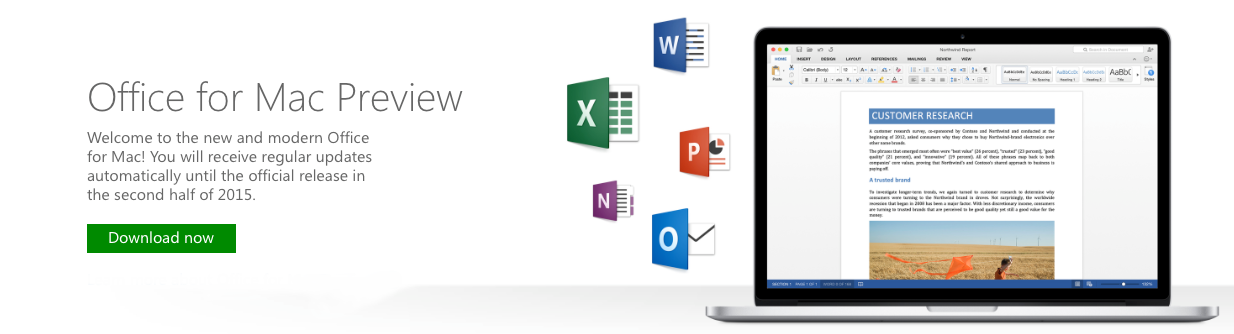
Finally Microsoft released free beta preview of Office 2016 for Mac , its been over five years since Microsoft released its Mac Version Office updates, New features were Cloud and OneDrive, New Mac user interface is designed from the ground up to take advantage of the latest Mac features, including retina display and full-screen view support , also redesigned Ribbon and your favourite cross-platform features and keyboard shortcuts, you will be up and running with new office for Mac in no time  The preview will expire around 60 days after its release ! The new Office for Mac is officially support on machines running Yosemite ,Microsoft update office regularly , and you will receive the update via a notification from Office for Mac Auto-Update tool also you can install New Office 2016 Preview alongside with old Office 2011 :), you can download office preview from below given link  Download Office Preview Now